Why Apple Dictation Falls Short for Power Users & Engineers
Compare Dicty vs Apple Dictation: Whisper accuracy vs legacy speech models, LLM text cleanup, custom voice commands, and developer context.
Overview: Dicty vs. Apple Dictation
Apple Dictation is convenient because it is built into macOS, but its accuracy often stumbles on technical terms, it produces clunky raw transcripts without intelligent formatting, and it cannot structure thoughts into Markdown or connect with code context.
Core Distinctions
Why Engineers & Power Users Choose Dicty
1Modern Whisper AI vs Legacy Speech Engine
Apple Dictation frequently mishears domain-specific technical jargon, acronyms, and names.
2Intelligent AI Punctuation & Formatting
Apple Dictation requires you to manually speak punctuation commands like "comma", "period", or "new line".
3Multi-Language Live Translation
Apple Dictation only outputs the language you speak in, requiring manual copy-pasting to translate.
4Git & Architectural Context
Apple Dictation has no concept of code repositories, PRs, or Markdown knowledge bases.
Side-by-Side Breakdown
Feature & Capability Comparison
| Feature / Capability | Dicty.io | Apple Dictation |
|---|---|---|
Speech Recognition Accuracy Dicty offers vastly superior accuracy on complex jargon. | Whisper Large V3 & Parakeet (State of the Art) | Apple Legacy Acoustic Model |
Natural Speech (No Need to Speak Punctuation) Dicty intelligently applies punctuation and capitalization. | ||
Smart Markdown & Prose Structuring Formats speech into bullet points, numbered lists, or PR notes. | ||
Real-Time Language Translation Speak in 90+ languages and type in English at the cursor. | ||
Audio & Video File Transcription Dicty transcribes external recordings; Apple Dictation does not. | ||
Price Both tools are free, but Dicty delivers professional-grade AI. | 100% Free | Free (Built-in) |
The Bottom Line
Which tool should you choose?
Choose Apple Dictation if:
- You only need to dictate a 5-word iMessage or search query and don’t want to install any app.
Choose Dicty.io if:
- You want professional-grade transcription accuracy without having to verbally say "comma" or "period".
- You want your voice automatically formatted into clean Markdown documents and lists.
- You are an engineer or creator who needs voice translation, file transcription, and Git integration.
Native macOS UI
See Dicty's Native Mac Experience
Real application screens: zero telemetry, direct model selection, and zero-subscription API keys.
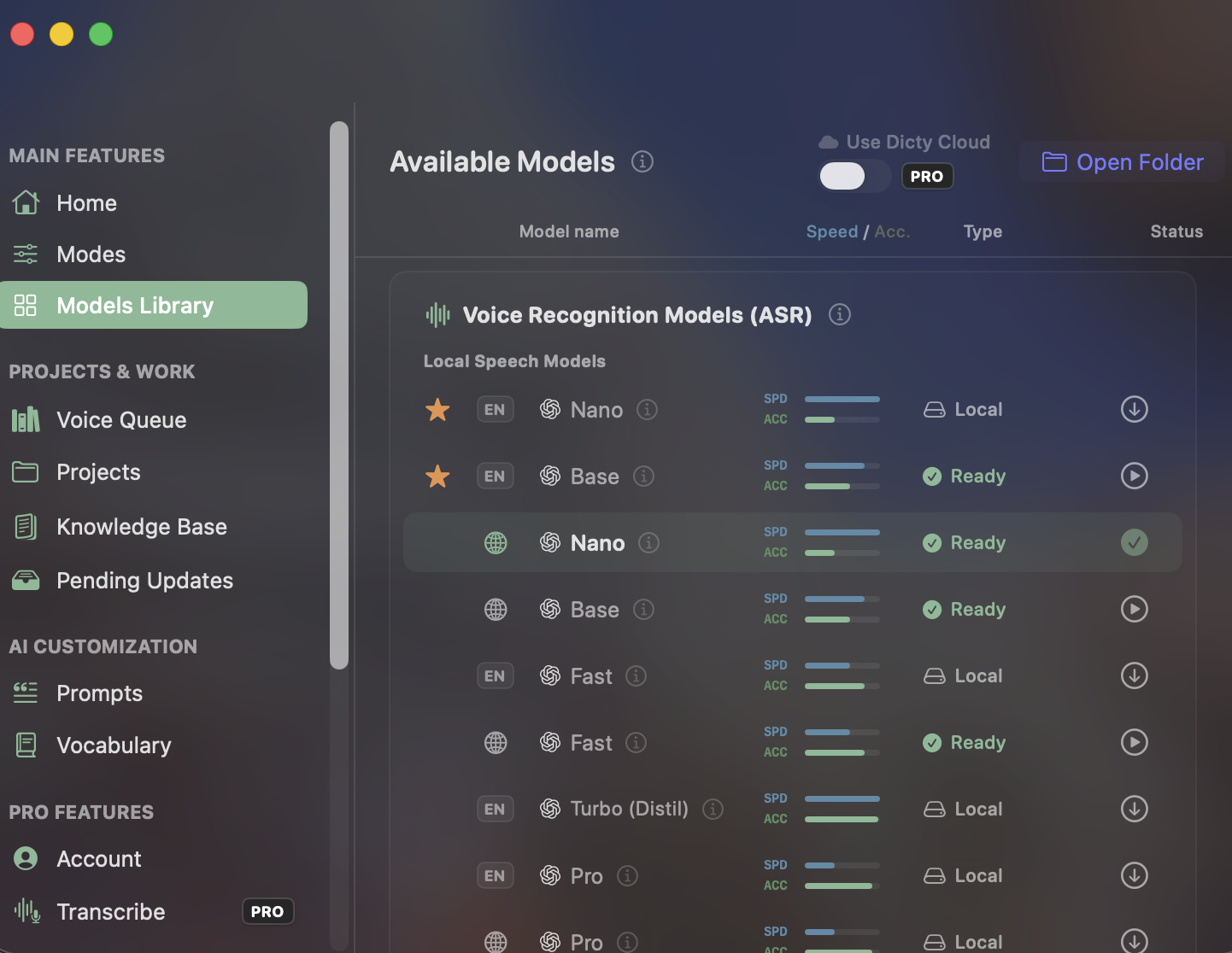
Built-in Local Speech Models
Unlike closed apps with recurring subscription paywalls for accurate transcription, Dicty gives you direct access to Whisper Nano, Base, Fast, Turbo, and Pro models for free.
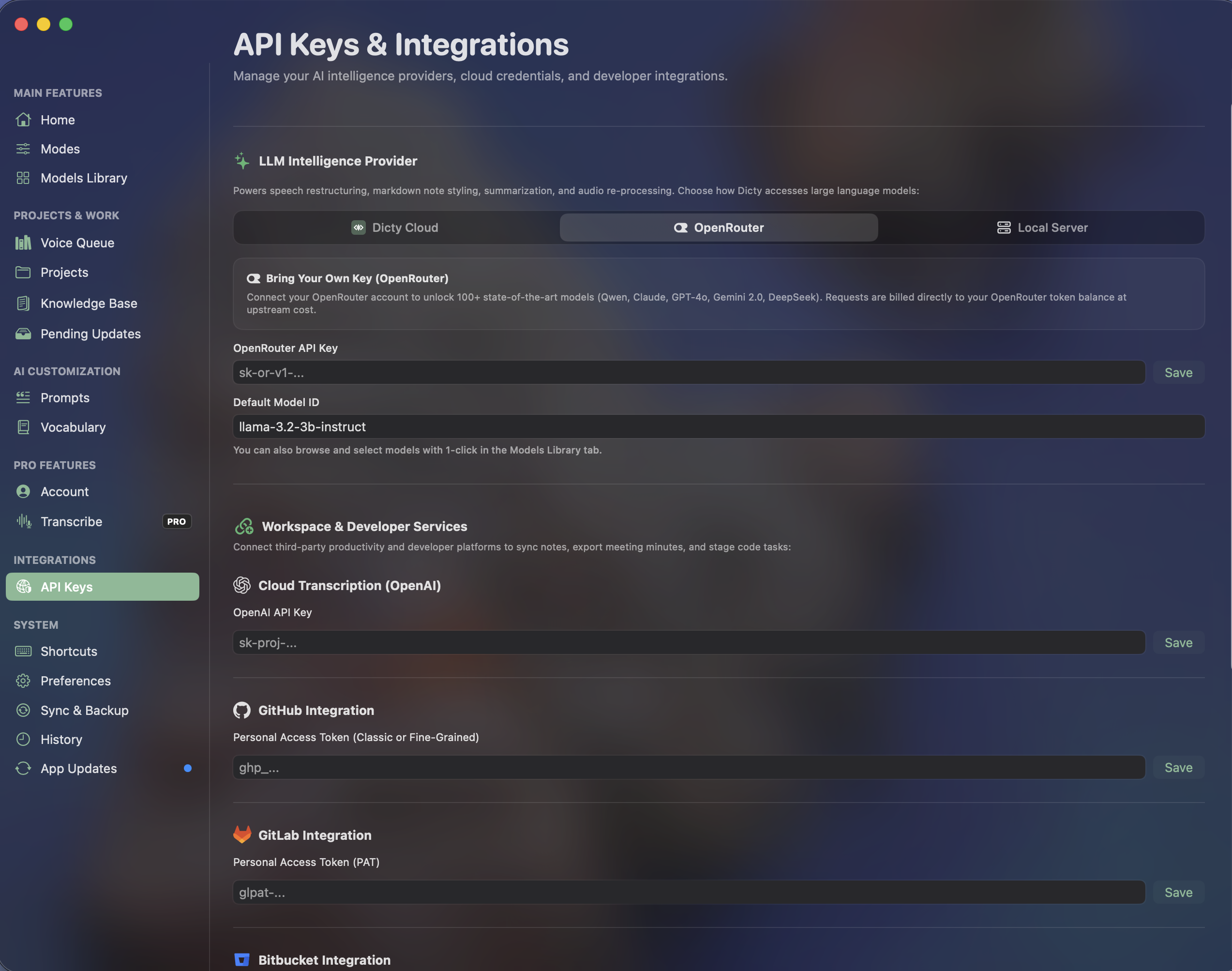
OpenRouter & Developer Integrations
Connect your own API keys for Claude, GPT, or DeepSeek without vendor markup. Link GitHub, GitLab, and Bitbucket for instant architectural context synchronization.
Frequently Asked Questions
Common Questions about Apple Dictation vs. Dicty
Why is Dicty more accurate than Apple Dictation?
Apple Dictation uses an older speech model optimized for mobile typing. Dicty leverages OpenAI’s Whisper and NVIDIA’s Parakeet models, which have been trained on hundreds of thousands of hours of multilingual and technical audio.
Do I have to say "period" or "comma" when using Dicty?
No! Dicty analyzes your natural speaking pauses and vocal inflections with LLMs to automatically punctuate, capitalize, and structure your sentences.
Experience the Best Free Speech Engine for macOS
Zero subscription fees. Zero audio leaves your Mac. Unlimited daily voice dictation and Git context sync.