Superwhisper vs MacWhisper: Which Is Better for Mac in 2026?
Comparing Superwhisper ($8.49/mo) vs MacWhisper (€64 one-time)? Learn the key differences in global hotkey dictation, audio file transcription, and discover why Dicty unifies both workflows for free.
Overview: Dicty vs. Superwhisper & MacWhisper
Superwhisper and MacWhisper are two of the most well-known Whisper applications on macOS, but they were built for fundamentally different purposes. Superwhisper focuses on real-time typing with a monthly subscription ($8.49/mo), while MacWhisper is built around pre-recorded audio file transcription with a one-time license (€64). Dicty unifies both capabilities into a single, high-performance engine for free.
Core Distinctions
Why Engineers & Power Users Choose Dicty
1Real-Time Global Dictation vs. Audio File Transcription
Superwhisper is optimized for live microphone dictation into your active text cursor. MacWhisper is built around importing recorded audio/video files for subtitle generation.
2Pricing Models: Recurring Subscription vs. One-Time Fee
Superwhisper charges $8.49/month for its Pro features. MacWhisper charges a €64 one-time license fee for Pro Whisper models.
3Developer & Codebase Context Awareness
Neither Superwhisper nor MacWhisper connects to developer tooling like Git repositories, PRs, Linear, or Markdown vaults.
Side-by-Side Breakdown
Feature & Capability Comparison
| Feature / Capability | Dicty.io | Superwhisper & MacWhisper |
|---|---|---|
Primary Workflow Dicty gives you both capabilities without multiple apps. | Global Cursor Dictation + File Transcription | Superwhisper: Hotkey / MacWhisper: Files |
Zero-Latency Apple Silicon GPU Acceleration All three apps leverage native Apple Silicon unified memory. | ||
Audio & Video File Transcription with Diarization Superwhisper does not support drag-and-drop file transcription. | MacWhisper: Yes / Superwhisper: No | |
Smart LLM Text Formatting & Prompt Presets MacWhisper outputs raw transcript tokens without LLM restructuring. | Superwhisper: Yes / MacWhisper: No | |
Git PR, Branch & Commit Context Awareness Only Dicty connects your spoken thoughts with active code repositories. | ||
Multi-Vault Sync (Obsidian, Notion, GitHub) Directly updates living documentation hubs from voice. | ||
Total Cost / Pricing Dicty gives you full offline capabilities without subscriptions or paid licenses. | $0 (100% Free Core Engine) | $8.49/mo (Superwhisper) / €64 (MacWhisper) |
The Bottom Line
Which tool should you choose?
Choose Superwhisper & MacWhisper if:
- Choose Superwhisper if you only want basic casual text replacement and already pay for a subscription.
- Choose MacWhisper if you exclusively edit video subtitles (SRT/VTT) and never use global dictation.
Choose Dicty.io if:
- You want a single, unified Mac application for both global cursor dictation and audio file transcription.
- You do not want to pay $8.49/month or €64 for voice-to-text tools on your own Mac hardware.
- You are a developer, engineer, or power user who values Git integration and Markdown vault sync.
- You want complete privacy with zero audio ever transmitted to external cloud servers.
Native macOS UI
See Dicty's Native Mac Experience
Real application screens: zero telemetry, direct model selection, and zero-subscription API keys.
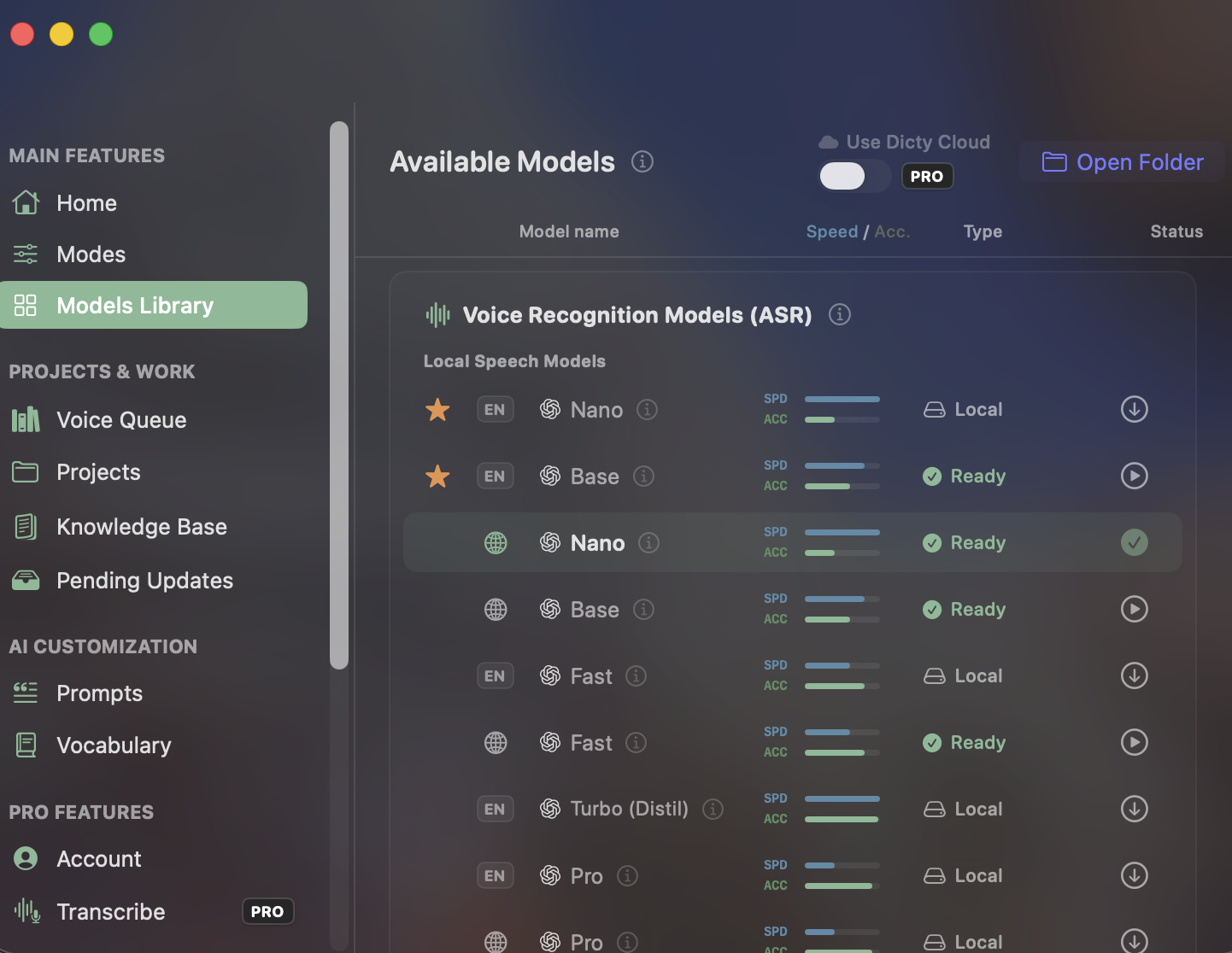
Built-in Local Speech Models
Unlike closed apps with recurring subscription paywalls for accurate transcription, Dicty gives you direct access to Whisper Nano, Base, Fast, Turbo, and Pro models for free.
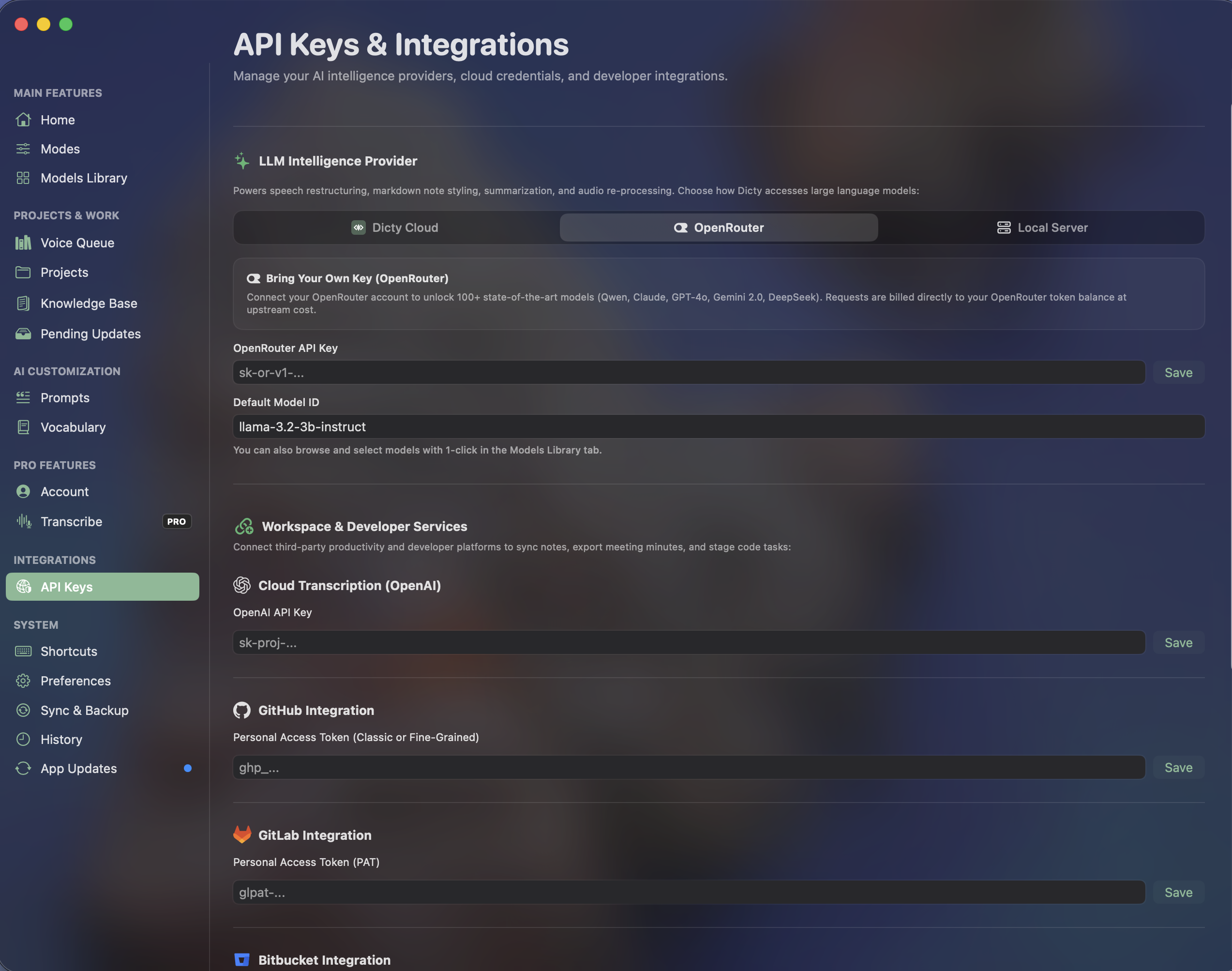
OpenRouter & Developer Integrations
Connect your own API keys for Claude, GPT, or DeepSeek without vendor markup. Link GitHub, GitLab, and Bitbucket for instant architectural context synchronization.
Frequently Asked Questions
Common Questions about Superwhisper & MacWhisper vs. Dicty
Which is better: Superwhisper or MacWhisper?
It depends on your workflow. If you want live speech typing directly into Slack and email, Superwhisper is designed for that. If you need to transcribe podcast recordings or generate video subtitles, MacWhisper is superior. However, Dicty supports both workflows in a single app for free.
Is Dicty a free alternative to both Superwhisper and MacWhisper?
Yes. Dicty provides the instant global hotkey dictation of Superwhisper and the drag-and-drop audio file transcription of MacWhisper, powered by native Apple Silicon GPU acceleration at zero cost.
Experience the Best Free Speech Engine for macOS
Zero subscription fees. Zero audio leaves your Mac. Unlimited daily voice dictation and Git context sync.