Global Dictation vs. File Transcription: Dicty vs MacWhisper
Compare Dicty vs MacWhisper: Global hotkey cursor dictation, LLM prose refinement, codebase context awareness, and file transcription compared.
Overview: Dicty vs. MacWhisper
MacWhisper is an excellent tool for batch transcribing audio files. However, if you want everyday voice dictation that works across your entire operating system with AI formatting and code awareness, Dicty was designed specifically for that workflow.
Core Distinctions
Why Engineers & Power Users Choose Dicty
1Global System Dictation vs File-First UI
MacWhisper is designed around opening audio and video files. Its live dictation feature is secondary.
2Intelligent LLM Prose Refinement
Raw speech transcription is messy and full of filler words ("umms", false starts, lack of punctuation).
3Engineering & Codebase Grounding
Developers need technical acronyms, method names, and PR links recognized correctly.
4Audio File Transcription with Diarization
Dicty matches MacWhisper’s file transcription capabilities while adding multi-speaker intelligence.
Side-by-Side Breakdown
Feature & Capability Comparison
| Feature / Capability | Dicty.io | MacWhisper |
|---|---|---|
Primary Workflow Dicty is optimized for both fast everyday typing and long file transcription. | Global System Dictation + File Transcription | Audio File Transcription First |
Cross-Platform (macOS & Windows) Dicty runs natively on both macOS and Windows 10/11. | macOS & Windows | macOS Only |
Global Hotkey Cursor Typing Dicty types directly at your cursor in any desktop application. | Basic / Secondary | |
Smart LLM Text Refinement Dicty formats speech into clean prose, lists, or commit notes. | ||
Git & Codebase Context Awareness Recognizes active repositories and links architecture docs. | ||
Local Whisper Model Selection Both support native Apple Silicon Metal GPU shaders. | Nano to Large V3 Turbo | Tiny to Large V3 |
Real-Time Language Translation Dicty supports dynamic LLM cross-language translation. | Basic Whisper Translation | |
Price Dicty includes full Whisper models without license fees. | 100% Free Core Engine | €64 Pro Lifetime License |
The Bottom Line
Which tool should you choose?
Choose MacWhisper if:
- You primarily want to generate SRT and VTT subtitle files for video editing.
- You already own a MacWhisper Pro license and only process pre-recorded audio files.
Choose Dicty.io if:
- You want a lightning-fast global dictation tool to type anywhere on macOS with your voice.
- You want your speech automatically cleaned up and formatted into Markdown by LLMs.
- You need code-aware transcription that connects with your Git repositories.
Native macOS UI
See Dicty's Native Mac Experience
Real application screens: zero telemetry, direct model selection, and zero-subscription API keys.
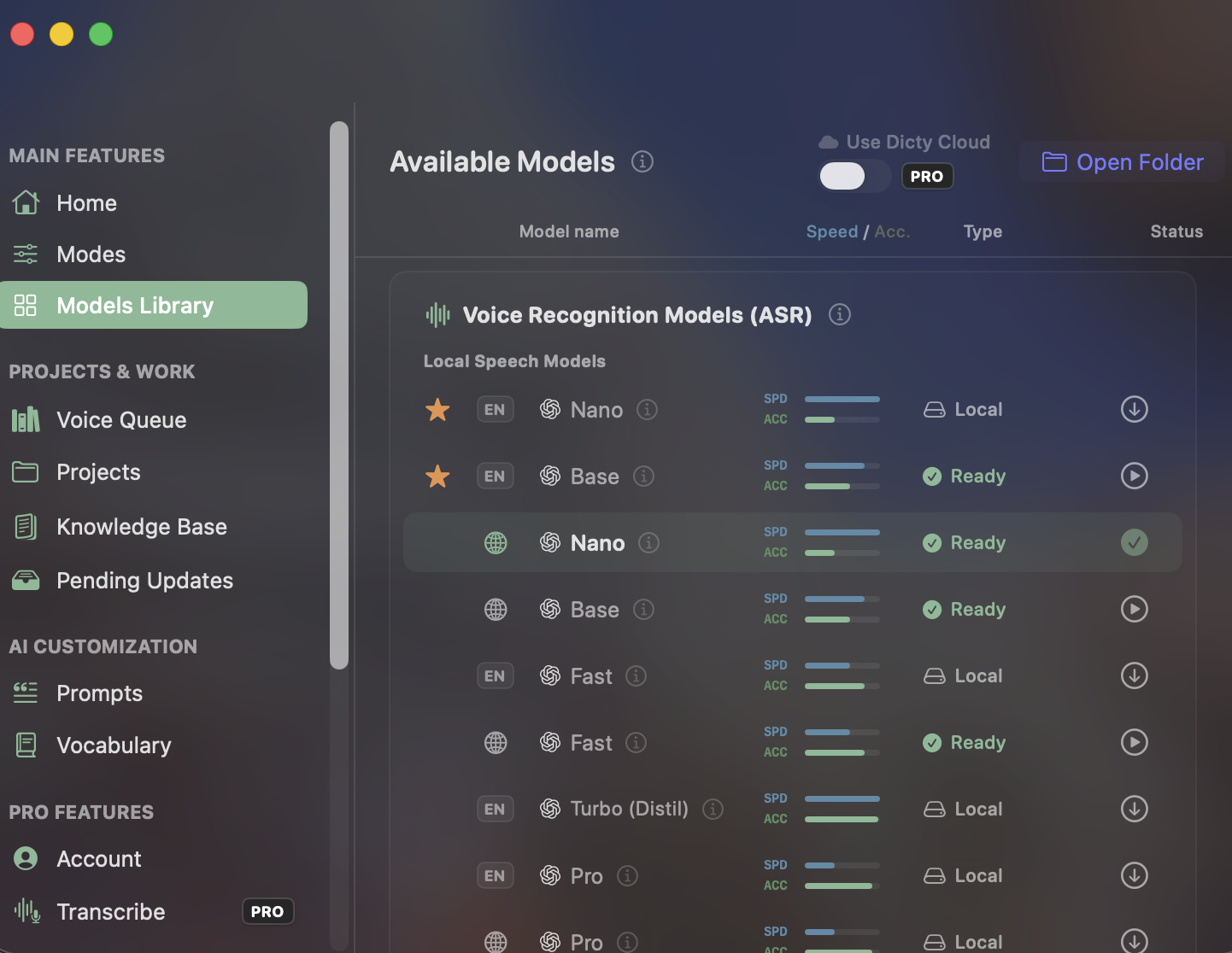
Built-in Local Speech Models
Unlike closed apps with recurring subscription paywalls for accurate transcription, Dicty gives you direct access to Whisper Nano, Base, Fast, Turbo, and Pro models for free.
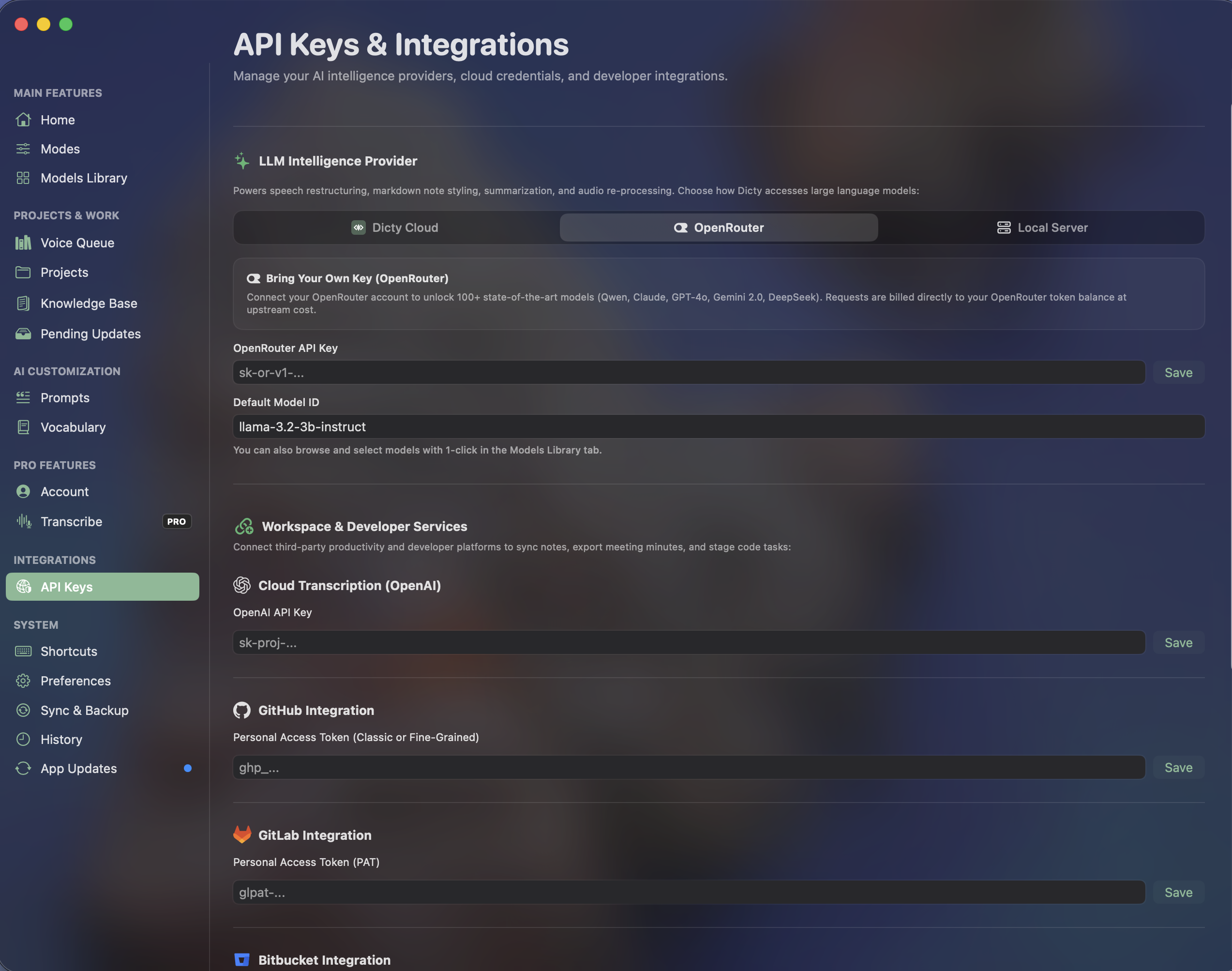
OpenRouter & Developer Integrations
Connect your own API keys for Claude, GPT, or DeepSeek without vendor markup. Link GitHub, GitLab, and Bitbucket for instant architectural context synchronization.
Frequently Asked Questions
Common Questions about MacWhisper vs. Dicty
Can Dicty transcribe audio files like MacWhisper?
Yes! You can drag and drop audio (MP3, WAV, M4A) and video (MP4, MOV) files directly into Dicty for fast, local transcription with speaker diarization and Markdown export.
How is Dicty different from MacWhisper Pro?
MacWhisper is built around an audio file workspace. Dicty is built as a global ambient dictation layer that types formatted, code-aware text directly into your IDE, browser, or notes via hotkey.
Experience the Best Free Speech Engine for macOS
Zero subscription fees. Zero audio leaves your Mac. Unlimited daily voice dictation and Git context sync.