Use Case · Translate Text to Voice on the Fly
Translate text to voice on the fly. Listen out loud with dual local neural engines.
Rest your eyes and absorb documentation, code diffs, foreign language texts, and long threads faster. Highlight text anywhere to translate text to voice on the fly—Dicty speaks it aloud with studio-grade Kokoro-82M and Silero 48kHz synthesis, 100% on-device and offline.
Screen fatigue is unavoidable when reviewing thousands of lines of PR diffs, architectural specs, and research papers. Manually copy-pasting paragraphs into browser-based text-to-speech translators wastes time and exposes confidential data to the cloud.
Translate text to voice on the fly at over 100x real-time speed. Dicty uses Kokoro-82M for expressive English voice blending and Silero 48kHz for broadcast-quality German and Russian synthesis—with zero cloud latency or clipboard pollution.
How it works
Simple 4-step process.
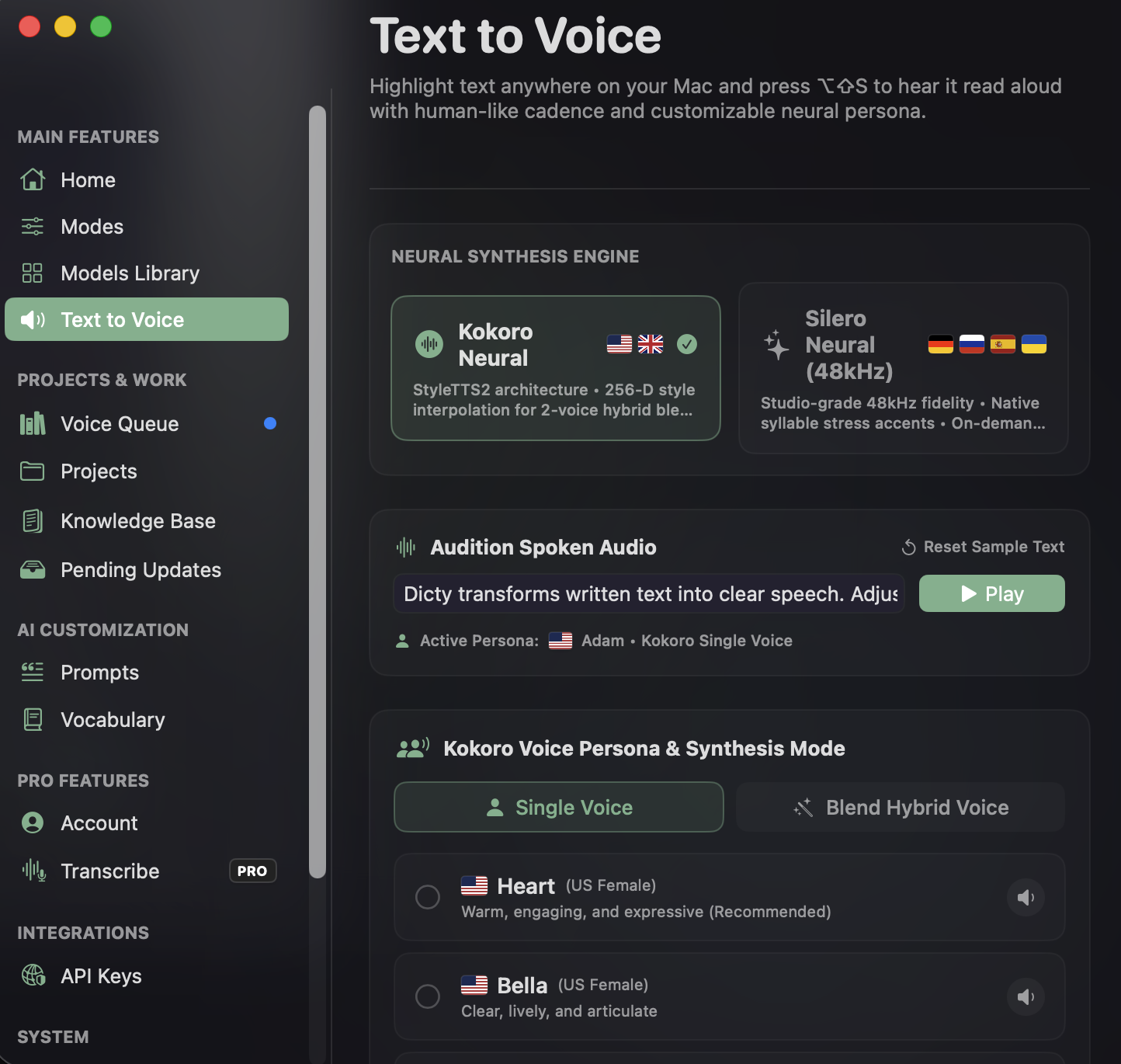
Highlight in any app
Select text anywhere—in Safari, Chrome, VS Code, Cursor, Slack, Obsidian, research papers, or PDFs.
Translate text to voice on the fly
Dicty immediately captures the selected text and begins on-the-fly speech synthesis without opening external tools or tabs.
Dual neural synthesis
Kokoro-82M blends 256-D voice styles for English, while Silero 48kHz applies intelligent German, Russian, and Spanish accentuation and prosody.
Studio-grade local playback
Crystal-clear 48 kHz audio streams instantly without freezing your workflow, keeping your clipboard completely untouched.
Translate text to voice on the fly
Instant zero-latency conversion from on-screen text to natural speech right where you work.
Kokoro-82M + Silero 48kHz dual engines
StyleTTS2 2-voice blending for English; 48kHz broadcast clarity for German, Russian, and Spanish.
100% offline & zero clipboard pollution
Runs entirely on local CPU/Apple Silicon in RAM. No voice data or confidential text ever leaves your machine.
// Kokoro-82M continuous voice style blending:
{ "engine": "kokoro", "voice": "af_heart", "blend_voice": "af_bella", "blend_ratio": 0.35 }

// Silero 48kHz studio synthesis with stress tracking:
{ "engine": "silero", "voice": "de_eva", "sample_rate": 48000, "put_accent": true }
Stop writing docs. Start speaking them.
More use cases
Architecture
Architecture Decision Records that write themselves.
Learn morePull Requests & Code Changes
Say what you changed. Your PR writes itself.
Learn moreTeam Enablement
Onboarding docs that stay true to the codebase.
Learn moreOutage & Bug Reports
Something broke? Say what happened out loud. Report done.
Learn moreReal-Time Translation
Speak in your language. Dicty types in English instantly.
Learn moreDeveloper Workflows
Speech-to-Text for Coding, VS Code & Terminal
Learn morePersonal Knowledge Management
Voice Notes to Markdown for Obsidian Vaults
Learn moreStudent Lecture Notes (Dicty Pro)