Local Privacy & Developer Workflows vs. Cloud Meeting Recorders
Compare Dicty vs Otter.ai: 100% on-device meeting intelligence, zero creepy meeting bots, Git codebase grounding, and privacy compared.
Overview: Dicty vs. Otter.ai
Otter.ai popularized cloud meeting transcription by sending bots into your Zoom and Teams calls. However, many enterprise teams ban meeting bots due to privacy risks. Dicty records and transcribes meetings 100% on-device directly on your Mac, without invasive bots or third-party cloud audio storage.
Core Distinctions
Why Engineers & Power Users Choose Dicty
1Zero Intrusive Meeting Bots
Otter.ai joins your video calls as a visible bot, which can make clients and colleagues uncomfortable or violate corporate security policies.
2100% Private Local Storage vs Cloud Servers
Otter.ai stores sensitive conversations and client discussions on their remote cloud infrastructure.
3Global Hotkey Dictation Included
Otter.ai is purely for recording meetings. It cannot replace your keyboard for daily typing.
4Engineering Context & Architecture Sync
Otter.ai outputs generic meeting summaries with no connection to your technical stack.
Side-by-Side Breakdown
Feature & Capability Comparison
| Feature / Capability | Dicty.io | Otter.ai |
|---|---|---|
Meeting Capture Method Dicty is 100% discreet and bot-free. | On-Device System & Mic Capture (No Bots) | Cloud Bot Joins Call |
Audio Privacy & Compliance Dicty complies with strict NDA and proprietary IP standards. | 100% Local (Zero Audio Leaves Device) | Stored on Otter.ai Cloud |
Daily Global Voice Dictation Dicty types directly into VS Code, Obsidian, Slack, and Chrome. | ||
Git PR, Jira & Linear Integration Syncs meeting decisions into code architecture docs. | ||
Monthly Subscription Cost Save hundreds of dollars per team member annually. | $0 (Forever Free Core) | $16.99/mo / user |
The Bottom Line
Which tool should you choose?
Choose Otter.ai if:
- You only want a shared cloud calendar bot for sales teams and do not work with sensitive IP or code.
Choose Dicty.io if:
- You want 100% private, on-device meeting transcription without intrusive bots joining your calls.
- You want a single app for both daily voice typing and meeting intelligence.
- You need meeting action items reconciled into Git PRs, ADRs, and Obsidian vaults.
Native macOS UI
See Dicty's Native Mac Experience
Real application screens: zero telemetry, direct model selection, and zero-subscription API keys.
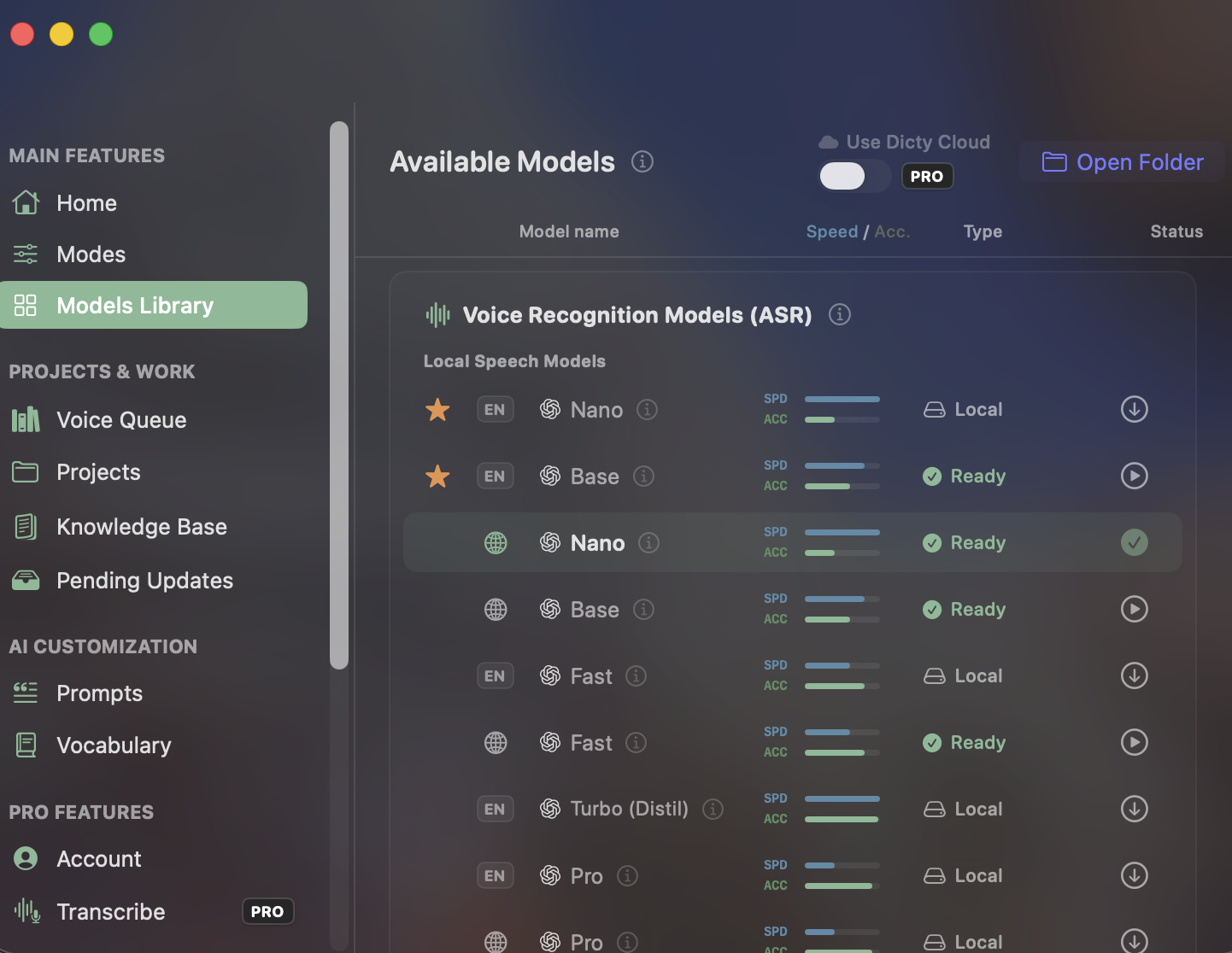
Built-in Local Speech Models
Unlike closed apps with recurring subscription paywalls for accurate transcription, Dicty gives you direct access to Whisper Nano, Base, Fast, Turbo, and Pro models for free.
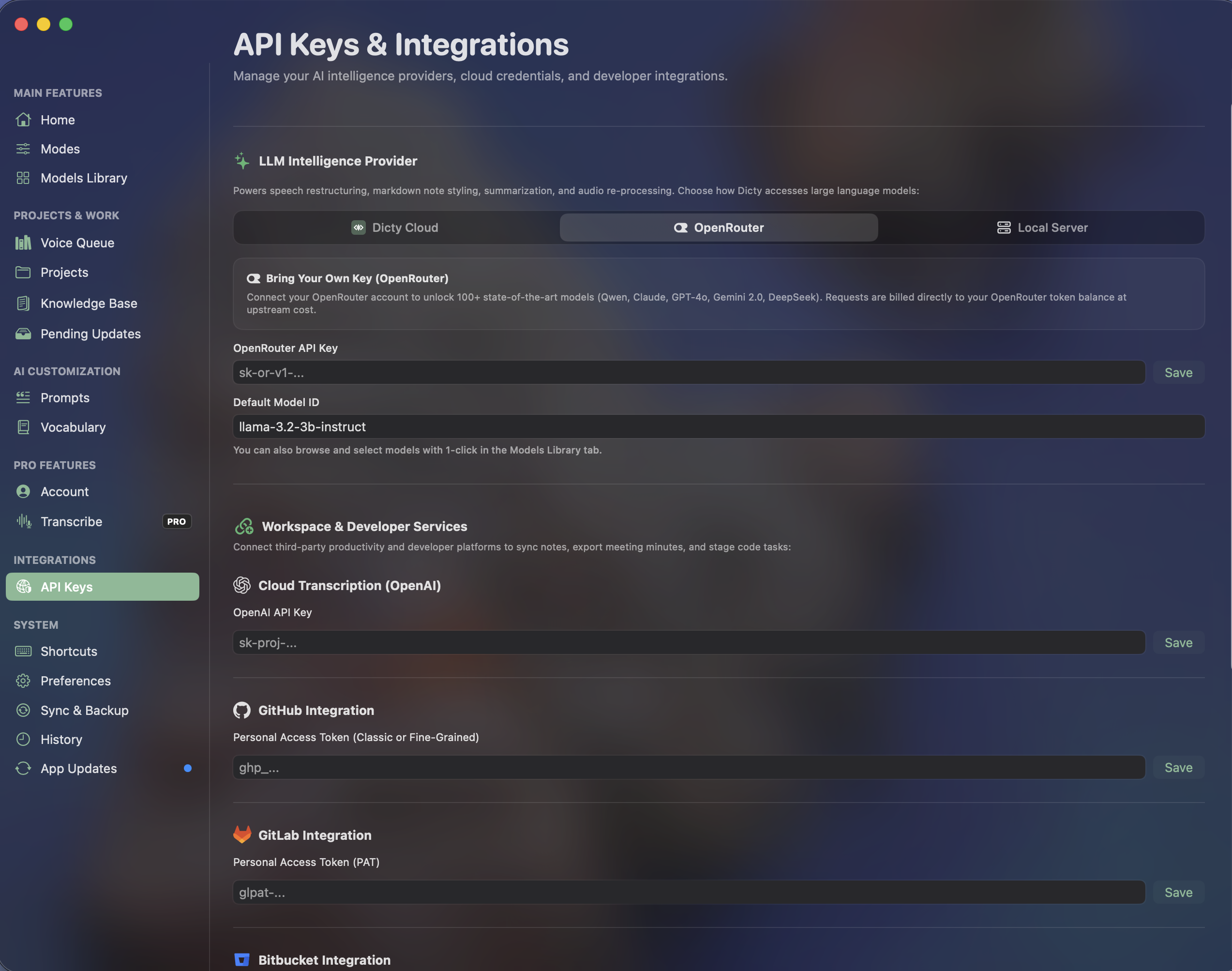
OpenRouter & Developer Integrations
Connect your own API keys for Claude, GPT, or DeepSeek without vendor markup. Link GitHub, GitLab, and Bitbucket for instant architectural context synchronization.
Frequently Asked Questions
Common Questions about Otter.ai vs. Dicty
How does Dicty capture meetings without a bot?
Dicty uses native macOS CoreAudio capture to record both your microphone and incoming speaker audio locally, then applies on-device Whisper models and speaker diarization to generate meeting notes.
Can I use Dicty for client calls with strict NDAs?
Yes! Because Dicty runs completely on your Mac with zero external audio streaming or cloud storage, it complies with strict client confidentiality and NDA agreements.
Experience the Best Free Speech Engine for macOS
Zero subscription fees. Zero audio leaves your Mac. Unlimited daily voice dictation and Git context sync.