Pro & WorkflowsPro
File Transcription
Transcribe offline audio and video files locally with optional translation.
Dicty includes a batch audio and video file transcriber powered by the local Dicty Engine.
Supported Media Formats#
- Audio Formats:
.mp3,.wav,.m4a,.aac,.flac,.ogg - Video Formats:
.mp4,.mov,.mkv,.webm,.avi
How to Transcribe a File#
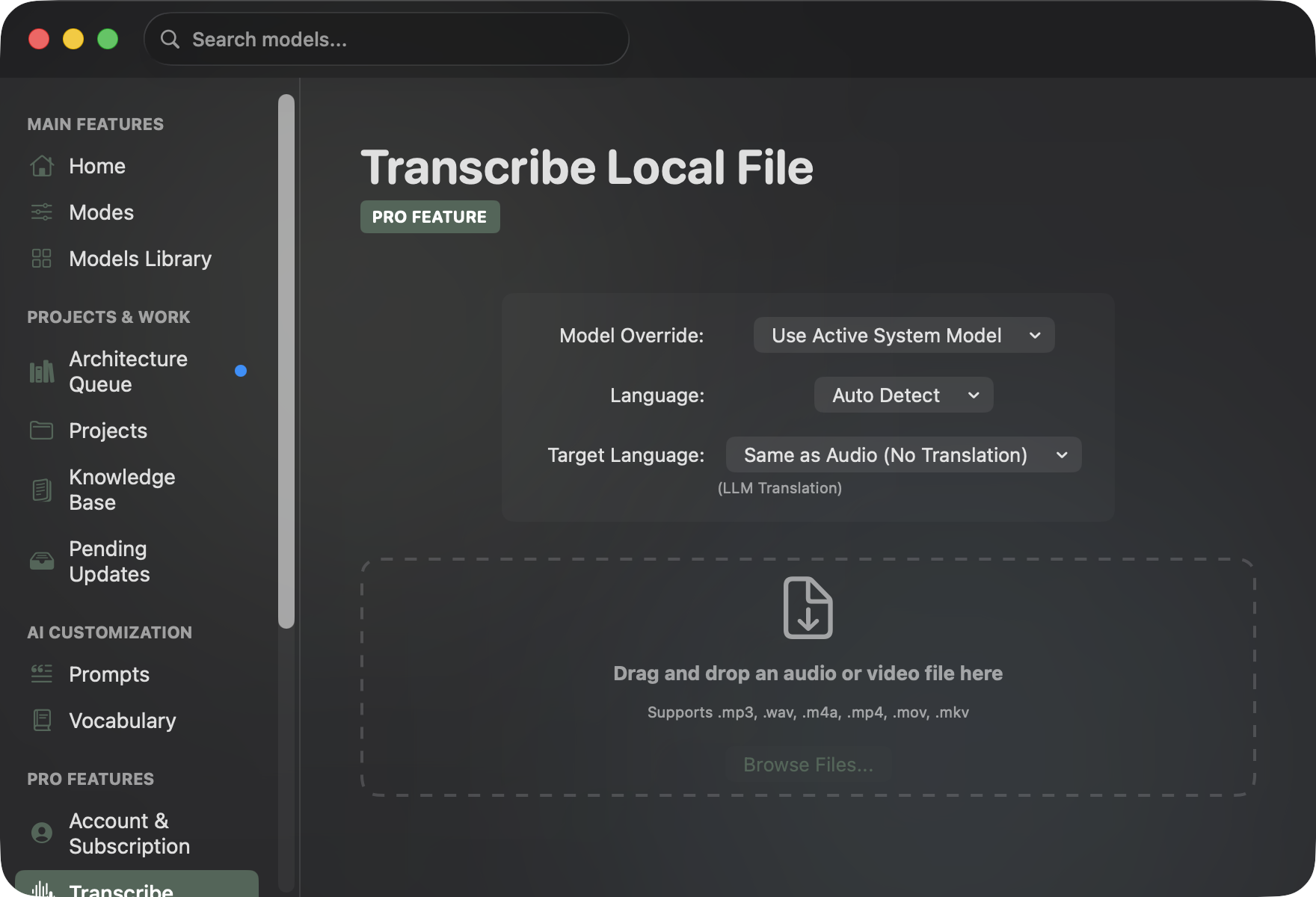
- Open Settings (⌘ ,) → Transcribe.
- Drag and drop any media file onto the dashed drop zone (or click Browse Files...).
- Model Override (Optional): Select a specific model (e.g. Large V3 Turbo or Cloud Whisper 1) or use your system default.
- Language: Leave on Auto Detect or select the spoken language.
- Target Language: Select Same as Audio or choose a language for instant LLM translation.
- Click Transcribe File.
| Step | Action | Description |
|---|---|---|
| 1. Select File | Drag & Drop or Browse | Load any supported audio or video file (.mp3, .wav, .mp4, .mov, etc.). |
| 2. Configure | Model & Language Override | Choose a specific local model or cloud model, and set source / target languages. |
| 3. Transcribe | Local Engine Extraction | Progress percentage is displayed in real-time during audio extraction and ASR. |
| 4. Export | Copy to Clipboard | Resulting transcript is displayed in the built-in editor and recorded in History. |
- Once complete, your transcript appears in the editor. Click Copy to Clipboard to export.
Student Lectures & AI Study Notes#
Dicty is frequently used by students and researchers who don't want to waste energy writing down lectures by hand. Instead of splitting focus between listening and scribbling:
- Record the Class: Record with your phone's voice memo app or save seminar video files.
- Drop & Transcribe: Drag the
.m4aor.mp3into Dicty. Multi-hour lectures transcribe locally with zero audio duration limits and 100% privacy. - AI Summarization Prompt: Paste the verbatim transcript into your connected AI (Local Ollama, LM Studio, Claude, or ChatGPT) using this prompt:
You are an expert academic tutor. Below is the transcript of a university lecture.
Please organize this into high-yield study notes:
1. Executive Summary: The 3 biggest ideas covered in this lecture.
2. Structured Outline: Chronological lecture breakdown with headers and bullet points.
3. Key Formulas & Definitions: Exact terminology and mathematical expressions.
4. Exam Revision Flashcards: 5 question-and-answer pairs testing deep conceptual understanding.
- Save to Personal Vault: Export directly into Obsidian, Notion, or Markdown notes for exam revision.