Pro & Workflows
History & Diagnostics
Search past transcriptions, replay audio clips, sync setups, and export diagnostics packages.
Dicty maintains a local audit history and provides performance telemetry tools for power users and teams.
Transcription History & Audio Replay#
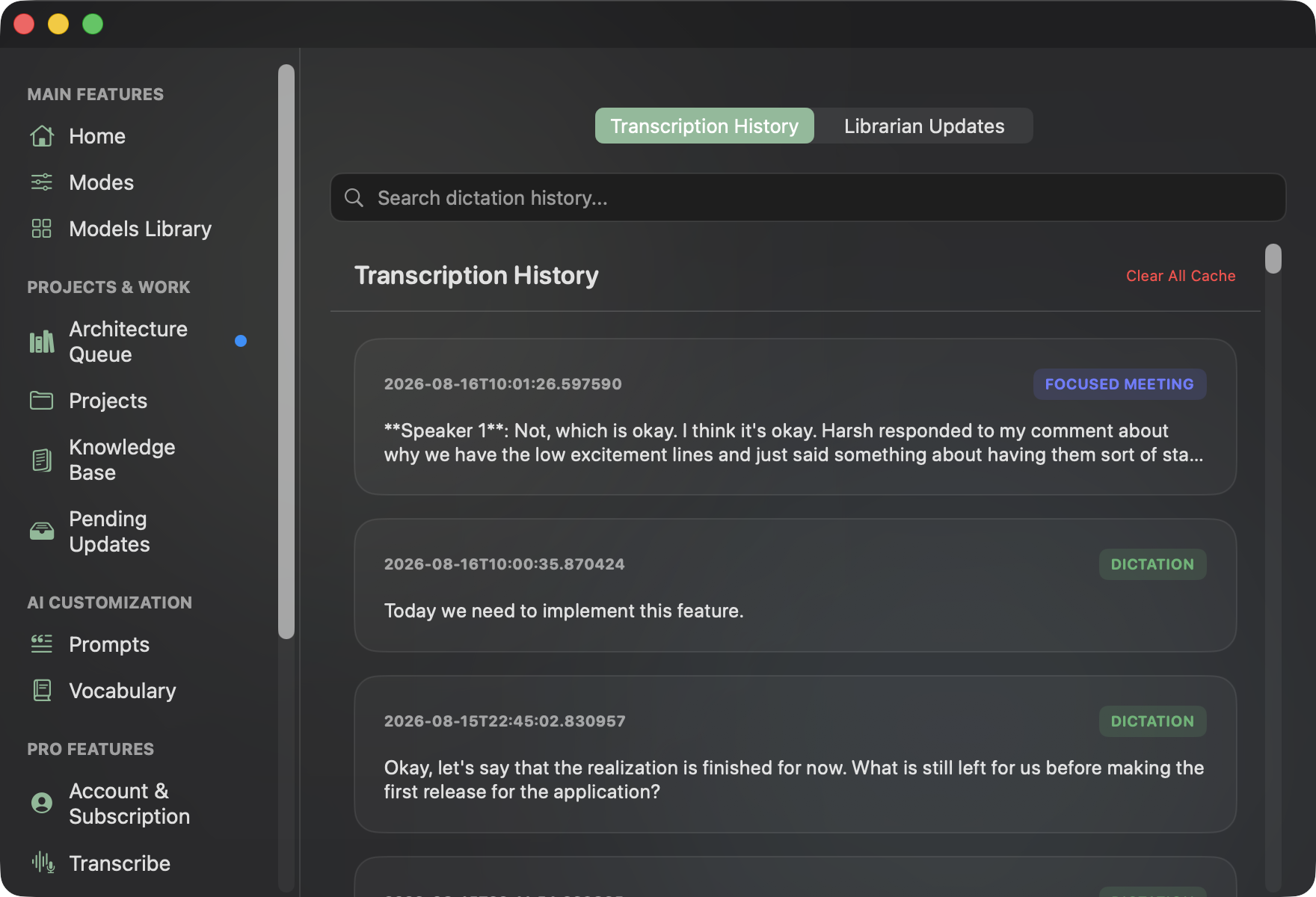
Access your transcription audit log in Settings (⌘ ,) → History:
- Real-Time Keyword Search: Filter past transcriptions instantly by keyword, spoken phrase, or timestamp using the built-in search bar.
- Mode & Speaker Diarization Badges: Every record is tagged with its operational mode (e.g.
DICTATIONin emerald,FOCUSED MEETINGwith speaker turn attribution like**Speaker 1**). - Interactive Card Controls:
- Click any card to expand playback controls.
- Play Audio: Listen to the original captured
.wavaudio snippet from your local disk. - Copy: Copy the full transcribed text directly to your macOS clipboard.
- Delete: Remove individual entries from your history log.
- Clear All Cache: Purge all stored audio recordings, transcript cache, and temporary buffers with one click.
Librarian Updates History#
Switch the top tab to Librarian Updates to view a historical audit trail of all AI documentation reconciliations, showing affected files, Git branches, diff summaries, and whether each update was Approved or Rejected.
Sync & Backup#
In Settings (⌘ ,) → Sync & Backup:
- Cloud Sync (Pro): Synchronize custom prompts, vocabulary, and Librarian configurations across all your Macs.
- Export Configuration: Exports your preferences, vocabulary, and prompts to a clean
dicty_setup.jsonfile. Toggle Include API Keys and Credentials if transferring setups between private machines. - Import Configuration: Import configuration files with Merge (keeps existing vocabulary) or Overwrite options.
Performance Telemetry & Diagnostics Export#
In Settings (⌘ ,) → Preferences → Diagnostics Export:
Click Export Diagnostic Report (.zip) to bundle:
- Real-Time Factor (RTF) benchmarks.
- Speaking Words-Per-Minute (WPM) calculations.
- Engine transcription latency metrics.
- Active model configuration and system logs.
The .zip archive is saved to your Downloads folder and revealed in Finder, ready to share when troubleshooting.