Knowledge Base & Workspaces
Knowledge Base & Sync
Connect Obsidian vaults, Confluence spaces, Linear docs, and review visual diffs before publishing.
Dicty bridges spoken architectural decisions and written documentation across local and cloud knowledge bases.
Supported Knowledge Targets#
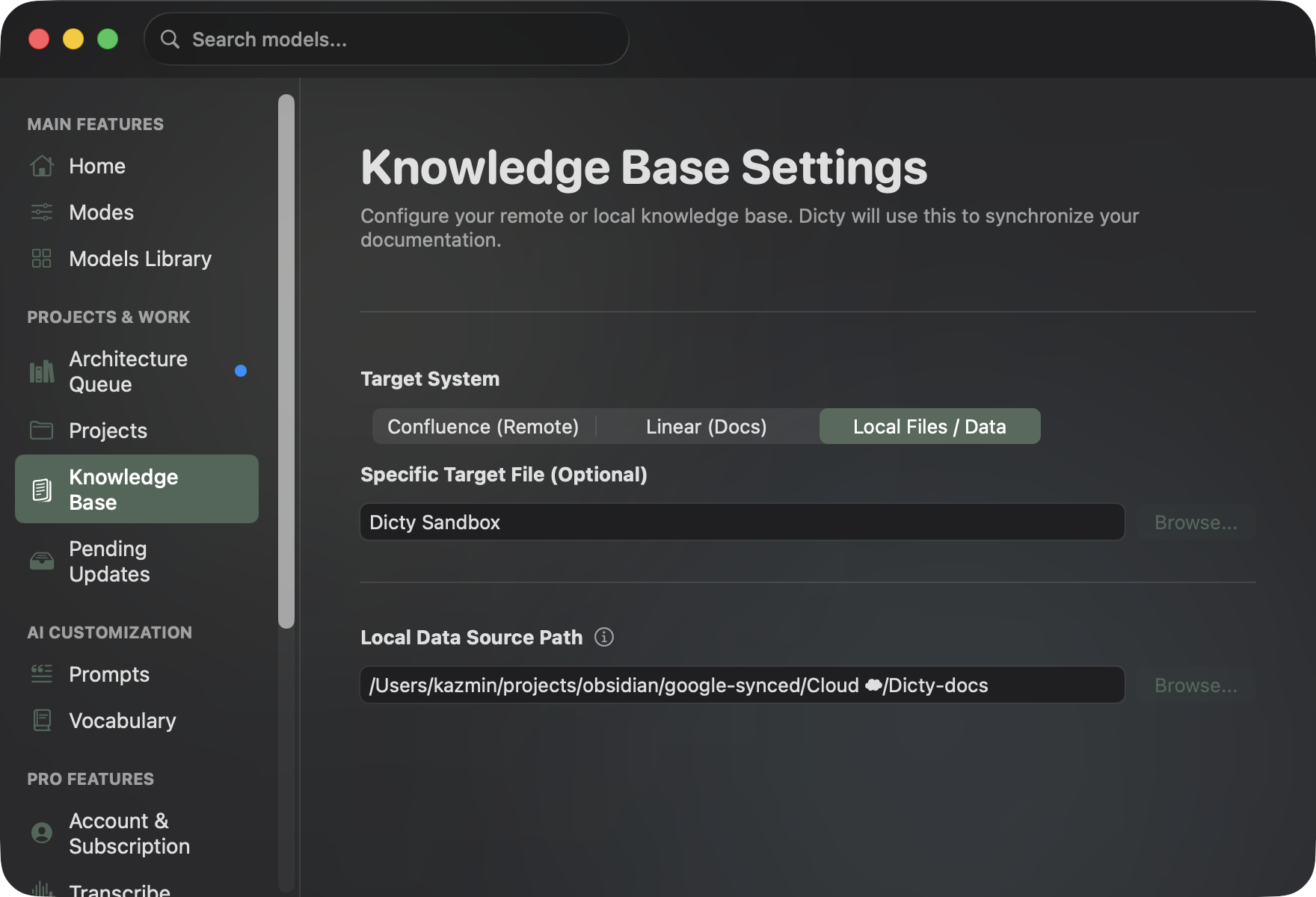
Configure your destinations in Settings (⌘ ,) → Knowledge Base:
1. Local Files & Obsidian Vaults#
- How it works: Dicty writes directly to Markdown files within an Obsidian vault, local directory, or cloned GitHub repository.
- Setup: Browse and select your root vault folder (e.g.
~/Documents/ObsidianVault). - Target File: Specify a specific target note or let the AI autonomously find the relevant document.
2. Atlassian Confluence (Cloud)#
- Host URL:
https://your-domain.atlassian.net - Space Key: Target workspace (e.g.
ENGorARCH). - User Email & API Token: Configure securely in the API Integrations tab.
- Target Page: Select an existing page title or create new hierarchical documentation.
3. Linear Docs#
- Target Workspace: Select specific Linear Teams or Projects.
- Global Document Search: When enabled, the AI searches your entire Linear organization to find where decisions belong.
The Architecture Staging Queue#
Instead of immediately overwriting documentation with every spoken sentence, Dicty uses a Staging Queue:
 🎙 Spoken Thought #1 ("Switch auth to JWT") ────┐
 🎙 Spoken Thought #2 ("Store tokens in Keychain")─┼──> [ Architecture Queue ] ──> [ ⚡️ Synthesize ] ──> [ Visual Diff ]
 📝 Written Code Snippet (Swift Keychain helper) ──┘
- Switch to Librarian Mode and speak your thoughts throughout your work session.
- Each thought is tagged with a timestamp, source, and active Git branch.
- Open the Architecture Queue tab (⌘ , tab 17) to search, edit, or add manual notes.
- Click ⚡️ Synthesize Architecture Doc. Dicty gathers all thoughts, analyzes context, and synthesizes a cohesive, formatted Markdown document.
Pending Updates & Visual Diff Review#
Before any file or remote document is modified, Dicty stages the change in Pending Updates:
| Diff Section | Original Document | Proposed Changes | Review Action |
|---|---|---|---|
| Authentication Flow | Uses session cookies via server state | Migrated to JWT tokens stored in macOS Keychain | Click Approve & Publish to push update |
| Data Persistence | Stored only in local SQLite cache | Added background cloud backup synchronization | Click Reject to discard update |
- Side-by-Side Diffing: Compares the original version against proposed changes.
- Syntax Highlighting: Green indicates new additions; red indicates deletions.
- Approve & Publish: Atomically writes to Obsidian or publishes via Confluence/Linear API.
- Reject: Discards the proposed update.